project Repo: GitHub - Prakhargarg-2010196/Todo_VanillaJS: This is an implementation of Todo app in vanilla js
How to build a Todo List App with JavaScript
Understanding the Problem
The problem is to make a todo app that helps in creating a todo , updating a todo , deleting a todo and displaying a todo. We have to persist the todos in an array into the local storage and then retrieve them for display.
The app would have a simple user interface with a input element for inputting the todos , A view container for viewing the todos which would have each todo element represented as a list item with two buttons for editing and modifying the todos.
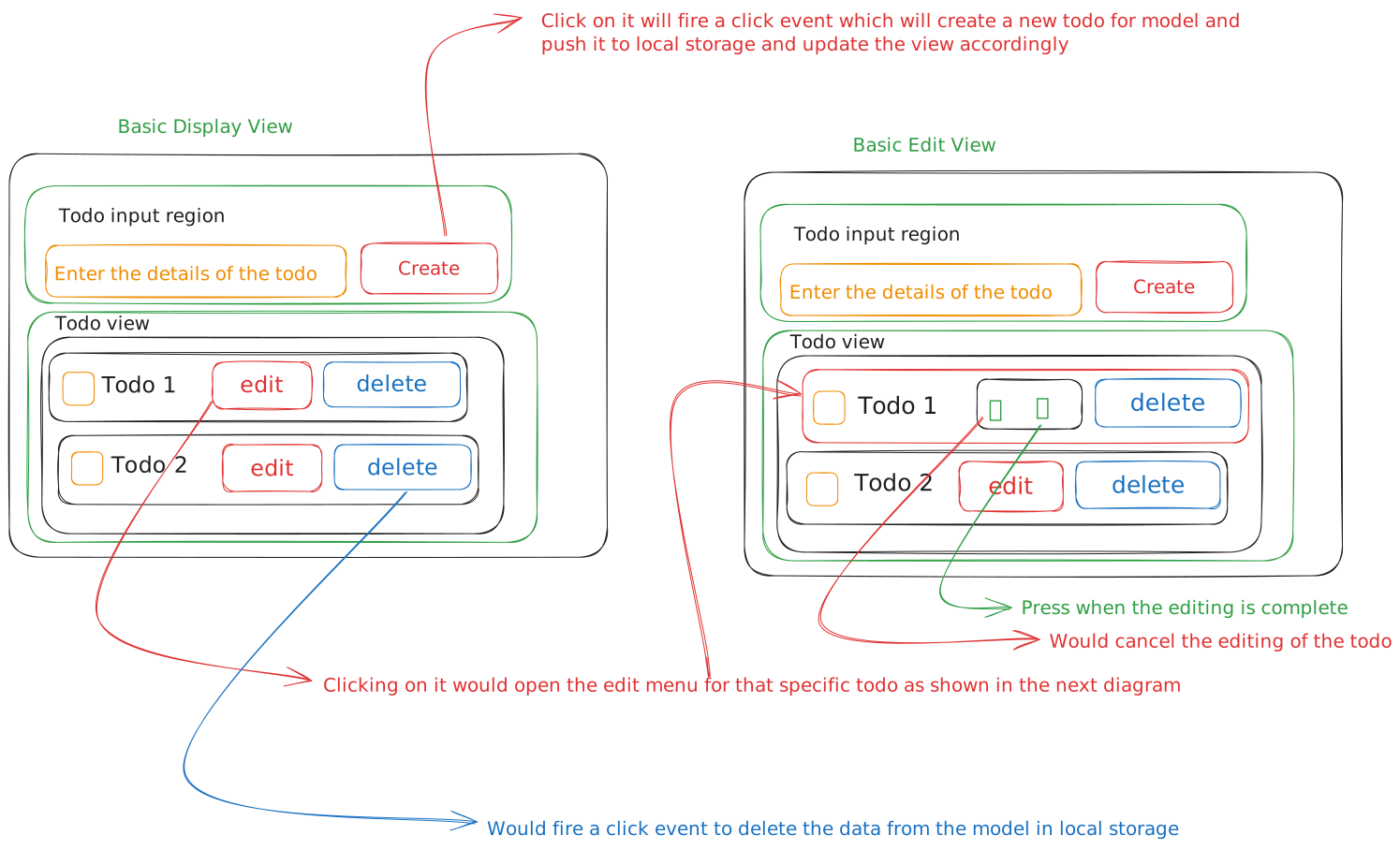
Plan
Input
Todo app would have following inputs
- todo : Object {content:‘string’,id:‘number’,status:‘boolean’}
- User will input the data from input field.
Output
- Display a list of todos with edit and delete functionality.
Pseudo Code
- There would be three functions
- Model : controlling the data
- Controller:Controlling the functionality like events
- View : Controlling how data gets represented.
- First check if there are already todos in the local storage
- Change the DOM to represent all the todos by looping through all the todos in the local storage by fetching them from the model.
- For creating a new todo
- User enters the input from the input element
- Todo would have a id which is calculated from the array length.
- Todo would have a status as false which will uncheck the tick box
- Clicks the Create button (click event fired)
- View sends the data through the controller to the Model
- Model Updates the data in the local storage and then fires the update view event back to the controller which in turn refreshes the todos display to the view.
- User enters the input from the input element
- For Deleting a todo we need its id which we attached during creation phase.
- After clicking delete button the id is sent through the controller to the model and model deletes it from the local array first and then updates the data to local storage and again refreshes the view.
- Editing the Todo we need id
- After clicking the edit button the edit button gets removed from the dom and two new buttons are replaced with it one is for confirming the edit and another for cancelling the edit.