⚠ Switch to EXCALIDRAW VIEW in the MORE OPTIONS menu of this document. ⚠
Excalidraw Data
Text Elements
for (var i = 0; i < helpText.length; i++) {
// Culprit is the use of var on this line
var item = helpText[i];
document.getElementById(item.id).onfocus = function () {
showHelp(item.help);
};
}
}
function scope
var item var i
This loop creates three closures pointing to the same lexical environment containing one variable of loop and another of item pointing to the object
1
This is located inside the function setupfunction() which contains a an array of objects helpText with each object containing id and a help text
Although as the variables and functions get hoisted first. The loop runs first and allocate the closures to each of them with the same value of the loop variable that is helpText.length-1
2
As the loop variable gets allocated
to the last index and all the
closures point to the same element
thus the focus element would show
only the last help text in the
helpText object.
3
var helpText = [
{ id: “email”, help: “Your email address” },
{ id: “name”, help: “Your full name” },
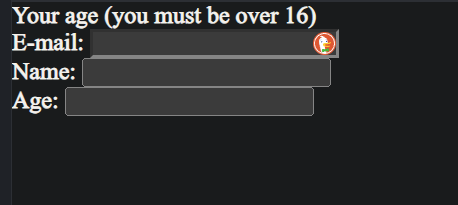
{ id: “age”, help: “Your age (you must be over 16)” },
];
The Problem With closures
Solution
The solution is to make individual lexical environment to each of the closure formed. This can be done in three ways :
-
Creating a function factory that takes the current value of loop variable as argument and return a new function with the local value of that loop variable.
-
Creating the IIFE for each of the loop iteration to create new lexical environment.
-
Use let (as it creates variables in block scope instead of function scope avoiding the problem generally)
Single Lexical Environment
Embedded Files
313f30ef6759789fd96087ef9e782ebc240eb151: Lexical Scoping Form.png